FUTURE | Product Design
Made with Figma, Adobe Illustrator, Procreate
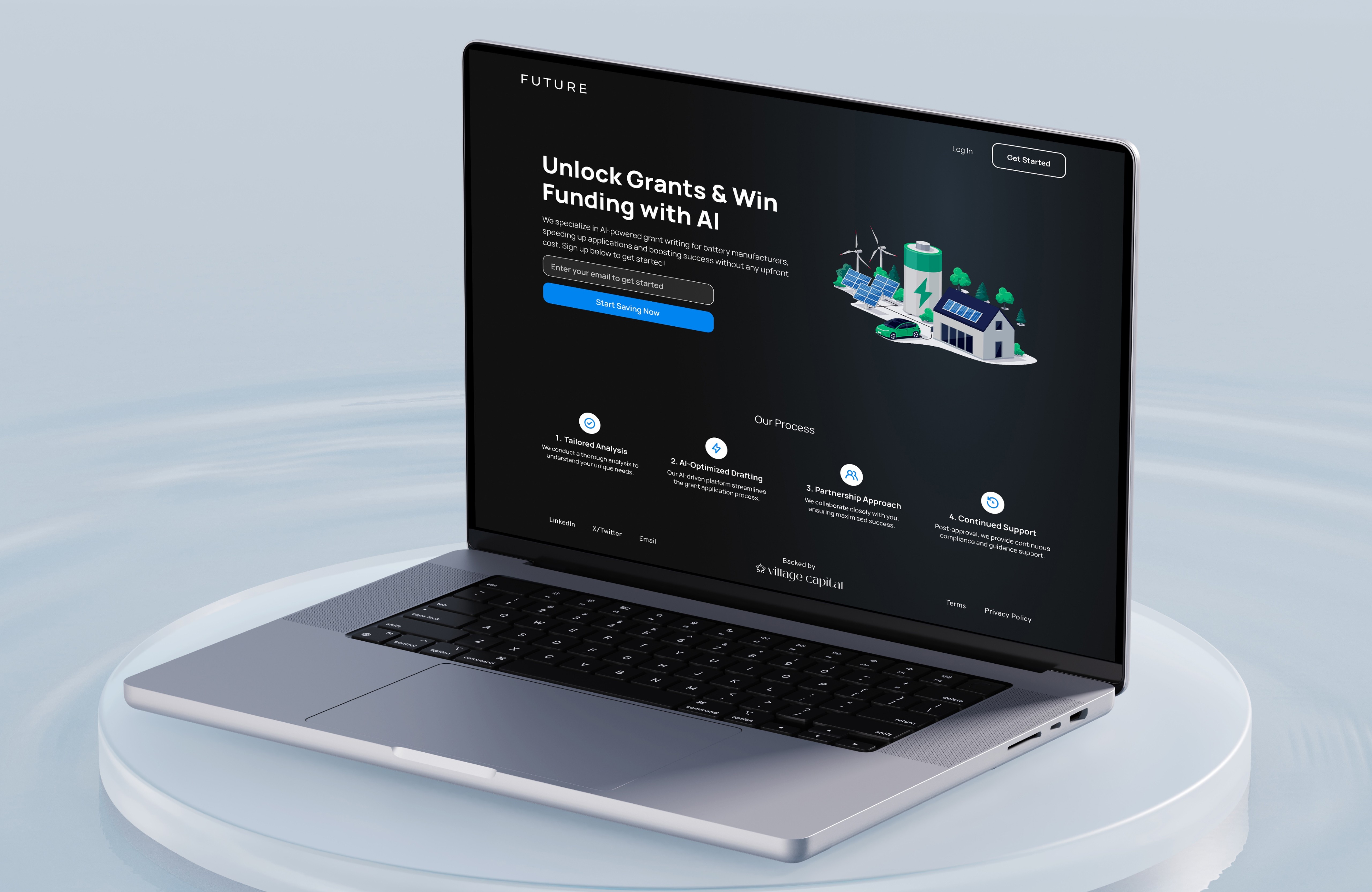
During my internship at FUTURE, a start-up focused on promoting energy efficiency, I had the opportunity to contribute as a product designer. FUTURE developed a platform that incentivized homeowners and businesses to use energy-efficient appliances through rebate programs. Working alongside a team of designers and our manager, I was involved in everything from market research to prototyping in Figma, creating user flows, and iterating on brand identity elements, including the logo. As the product evolved to cater more to companies, I helped refine features like expedited payment processing and eligibility verification through tax returns and bank statements. This experience allowed me to play a key role in shaping both the user experience and overall brand direction.
Business Goals
Problems
Goals
Discovery is unclear
→ Companies struggle to find relevant incentives.
Surface relevant incentives clearly
→ Make relevant incentives easy to find and understand.
Rules are confusing
→ Eligibility criteria are hard to interpret with confidence.
Translate complexity into clarity
→ Simplify eligibility so users can assess qualification with confidence.
Information is fragmented
→ Data lives across disconnected sources and documents.
Centralize info in one place
→ Provide a single source of truth for incentives and claims.
Process is inefficient
→ Teams spend too much time navigating uncertainty.
Streamline the end-to-end flow
→ Design a fast, low-friction experience from discovery to claim.
Real impact is missed
→ Manufacturers miss out on meaningful revenue.
Unlock real revenue and next steps
→ Enable repeatable claims that drive meaningful revenue.
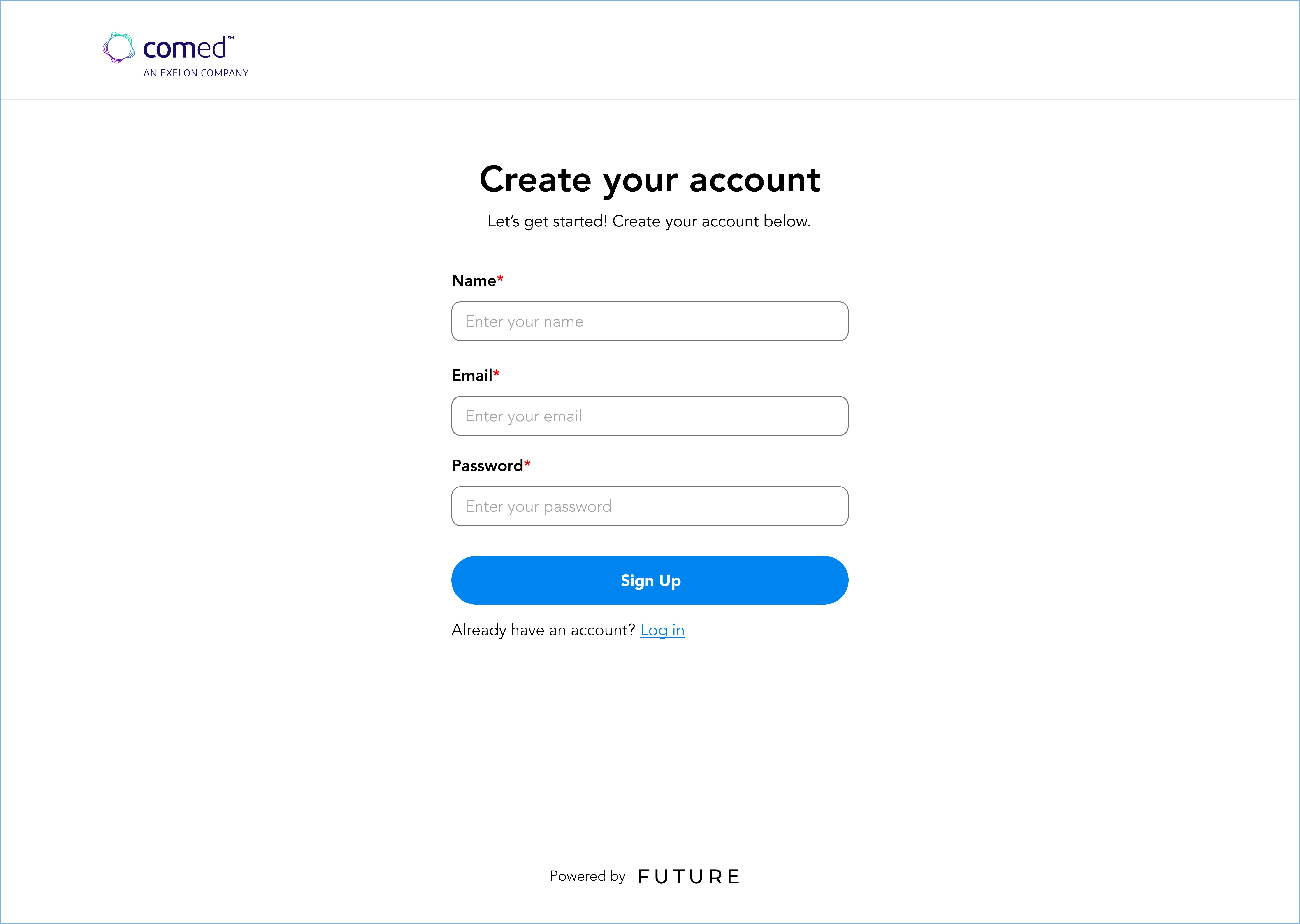
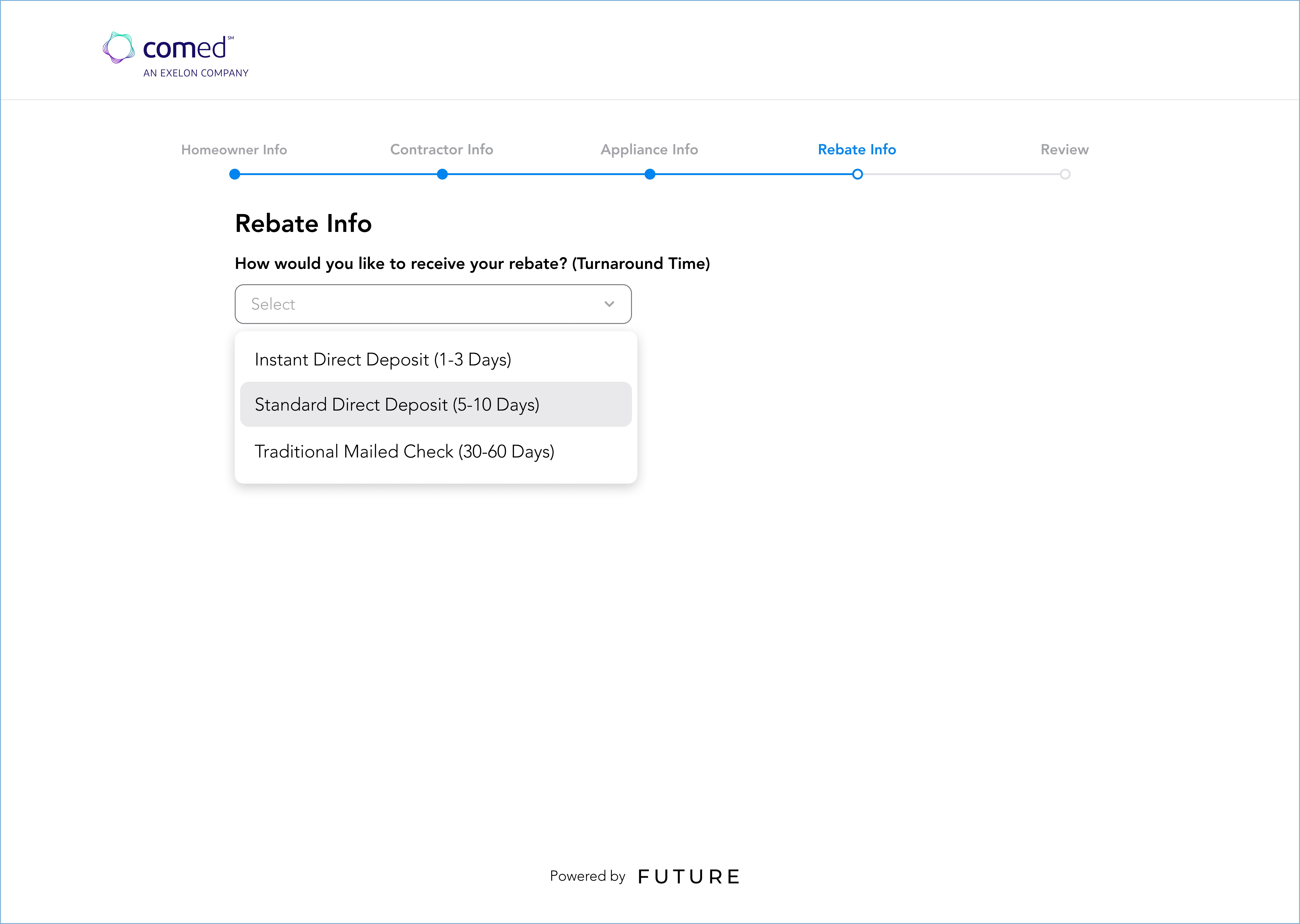
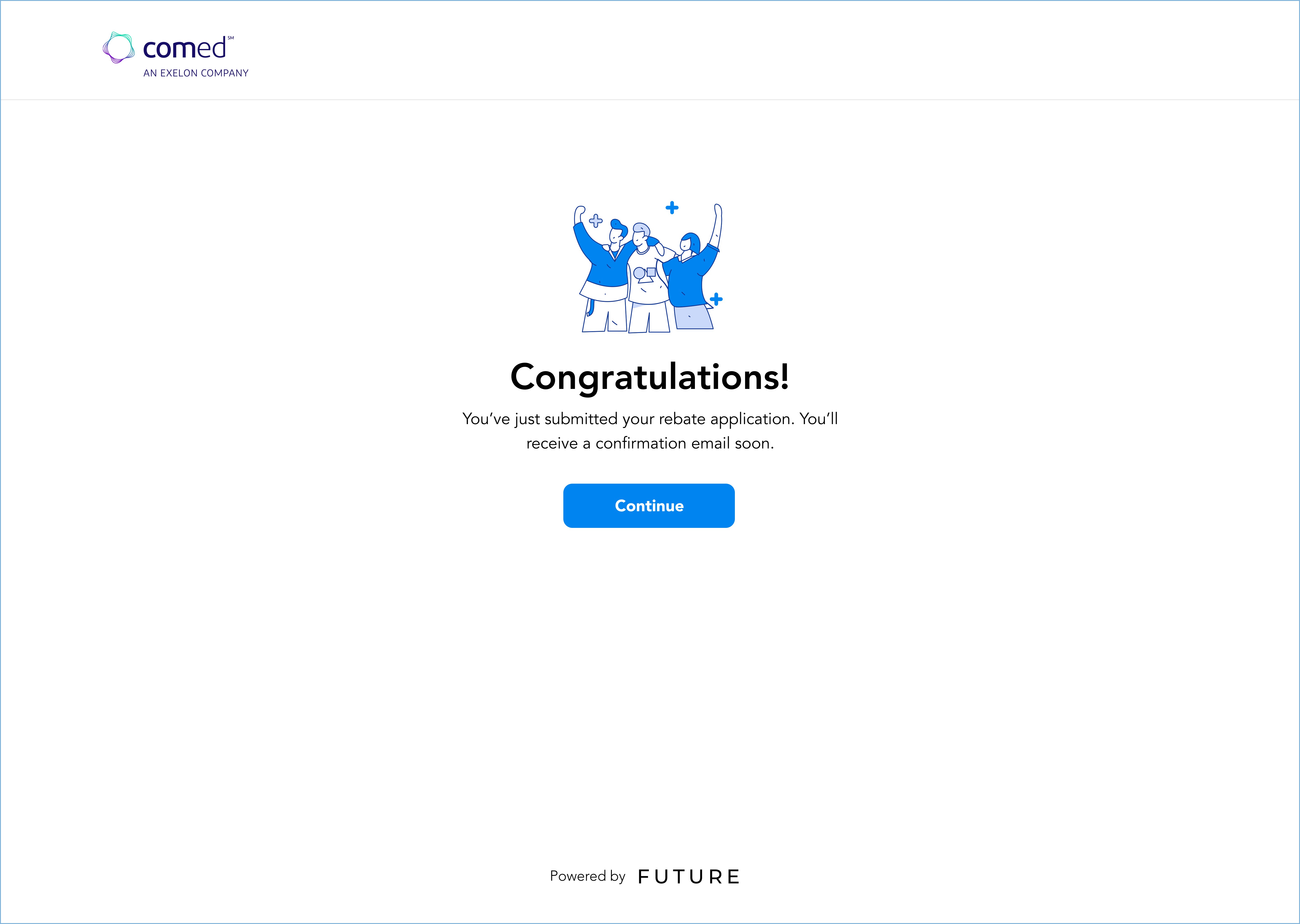
For the user flow, we designed screens that guided users through a seamless process of entering their tax returns and bank statements to determine eligibility for energy-efficient home improvement incentive programs. Users could also select their preferred digital payment method, allowing for a faster and more efficient rebate process. By streamlining these steps, we made it easier for homeowners and businesses to access incentives while reducing delays in receiving their payments.
User Flow

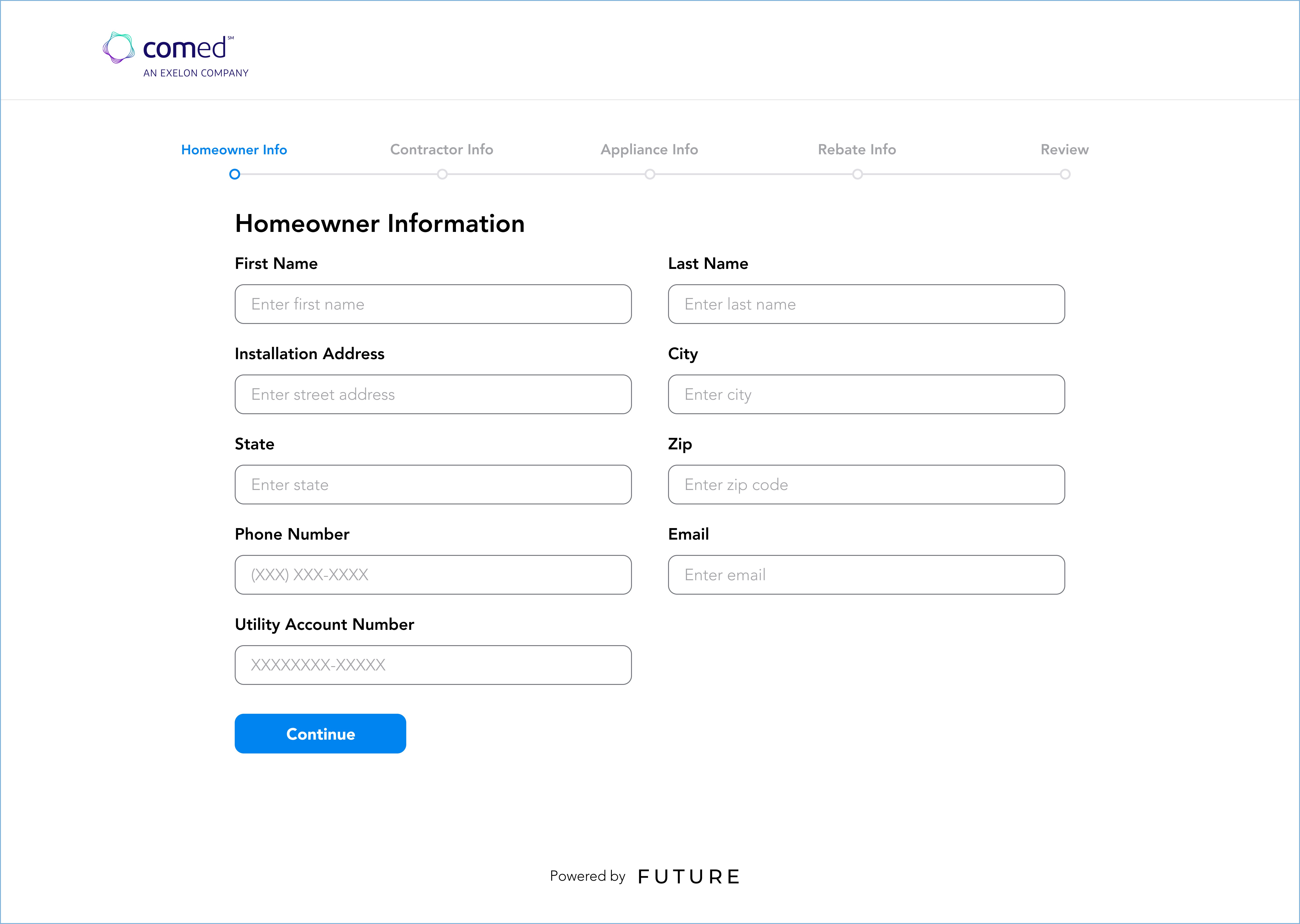
Drop-down selection helps users understand input type
Giving users choice of quicker upload or reliable manual input caters to different tech levels.
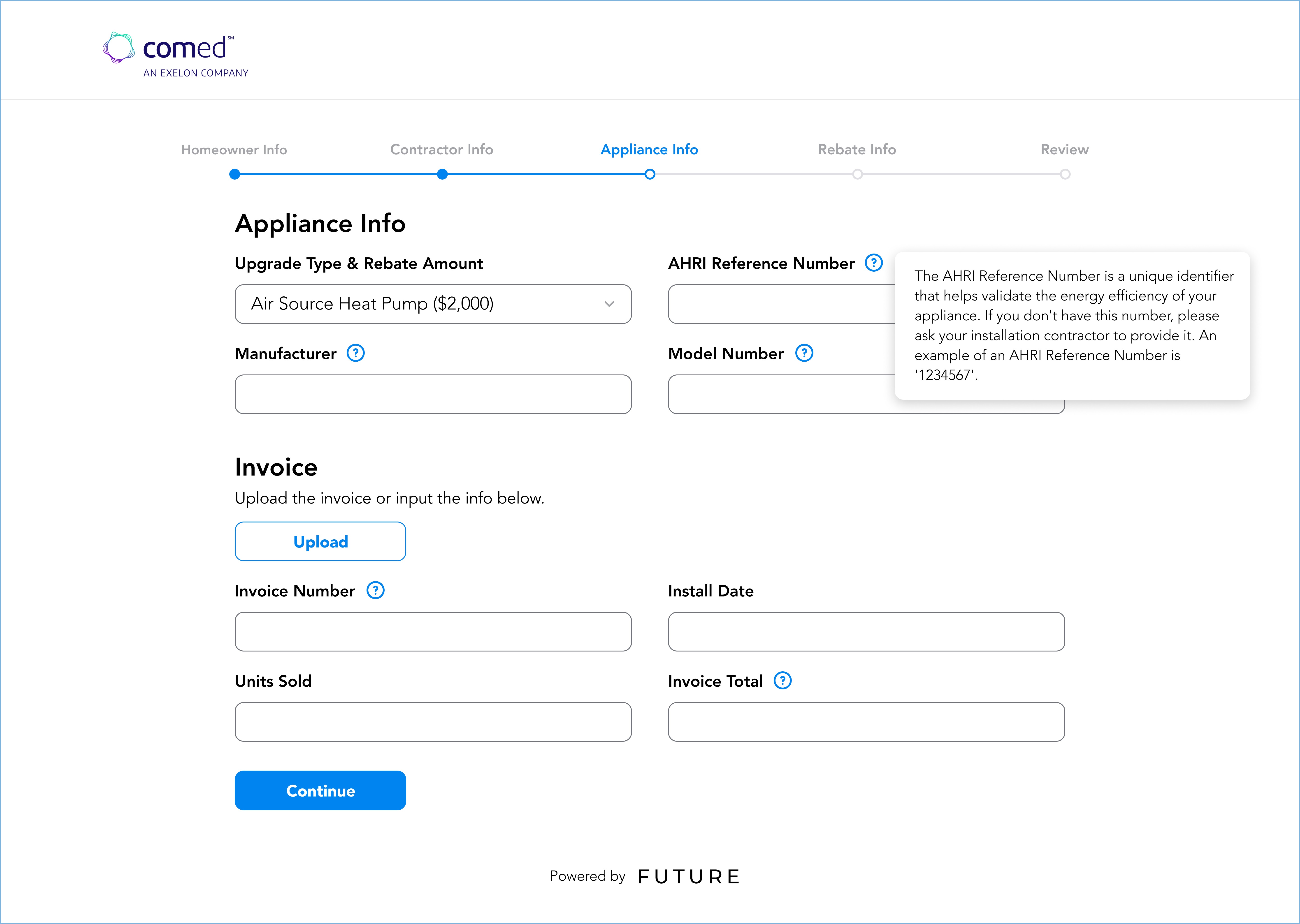
Providing information on input boxes helps users differ through complex, confusing information.
Users don't need to manually look for qualifying rebate programs.
The dashboard serves as the central hub for users to track their program qualifications and rebate status at a glance. Designed for clarity and ease of use, it provides a comprehensive overview without overwhelming the user. Alongside the main dashboard, we explored a spend analysis feature, which was part of an early iteration when we considered expanding our services toward financial tracking. This section reflects the evolution of our product and how we adapted our design approach based on user needs and business goals.
Dashboard
Returning users can keep track of all appliances—especially when following up on a payment status that takes a long time.
All appliances and financial statistics overview gives users a one-stop platform for all rebate/incentives.
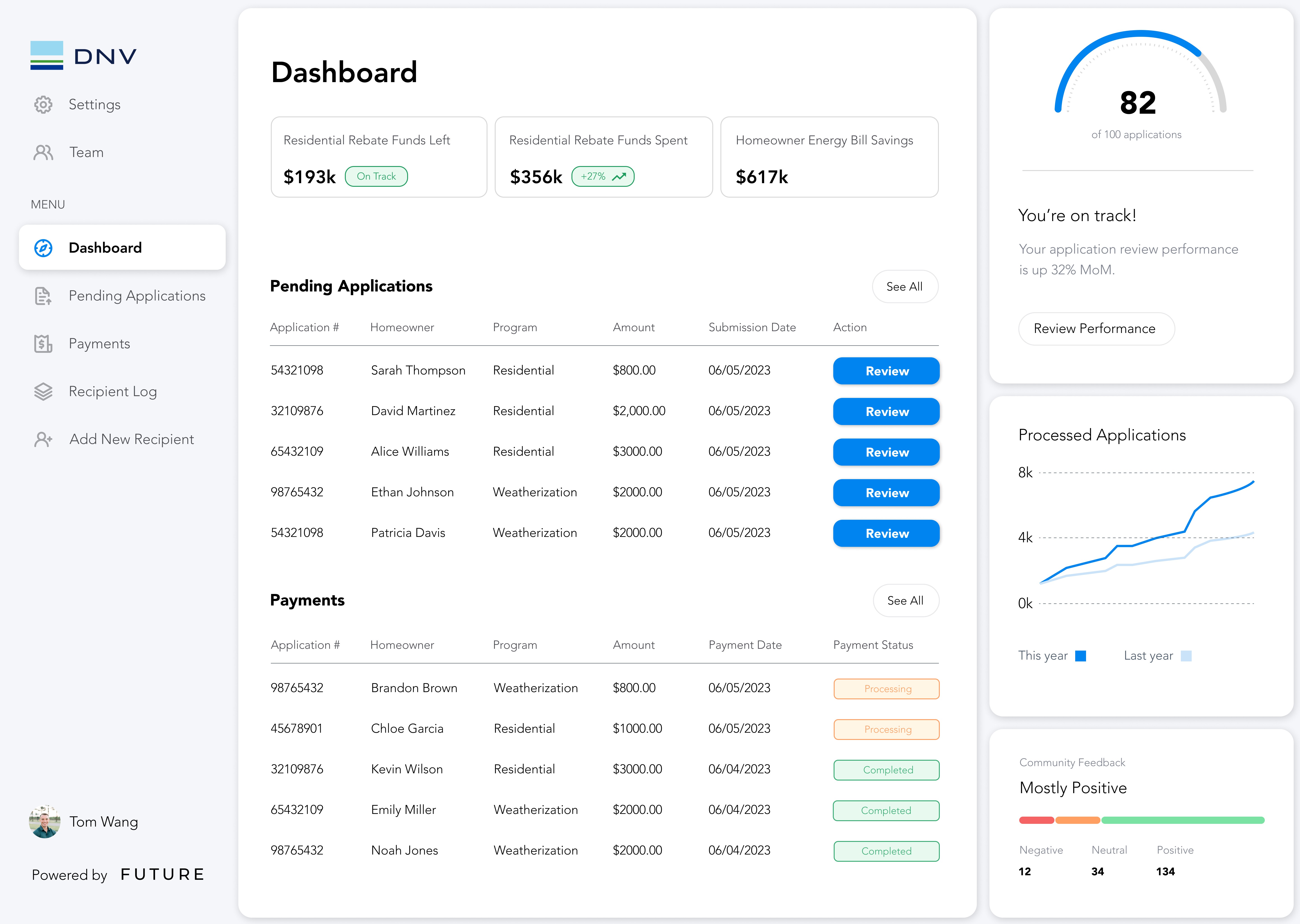
Visual graphs of complex information breaks it down, giving users clarity on the info.
Users can efficiently check on any part of the process through the organized dashboard.
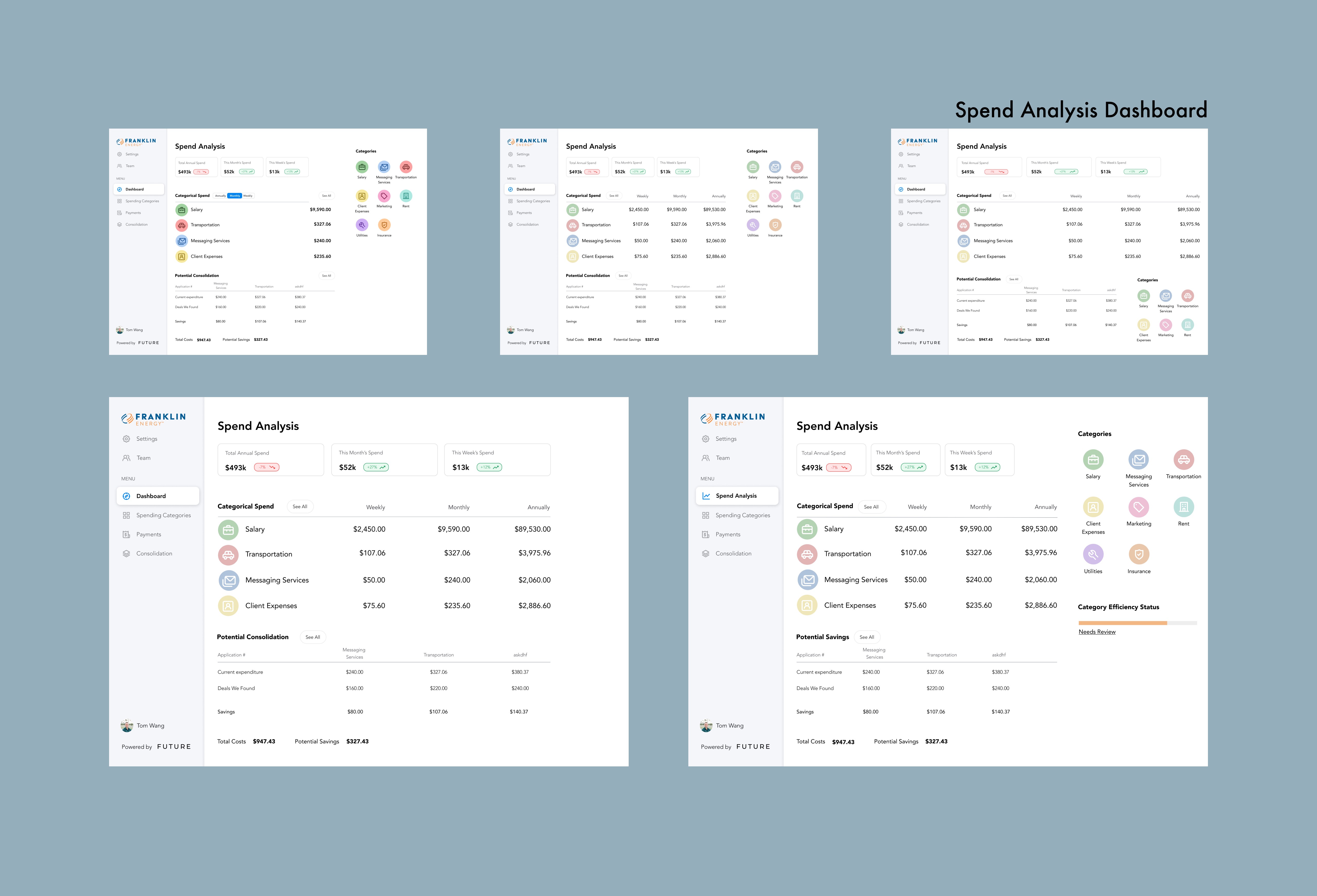
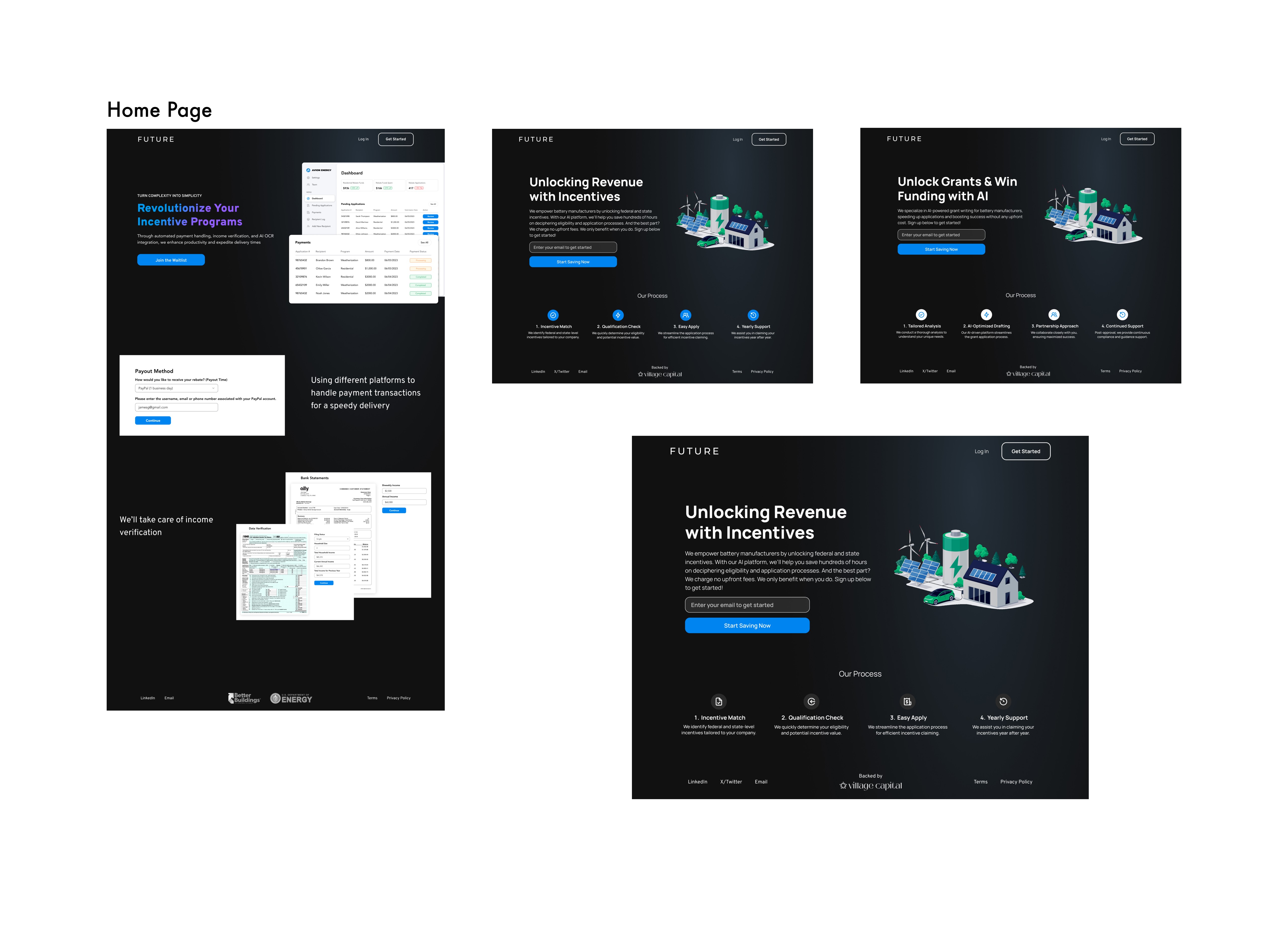
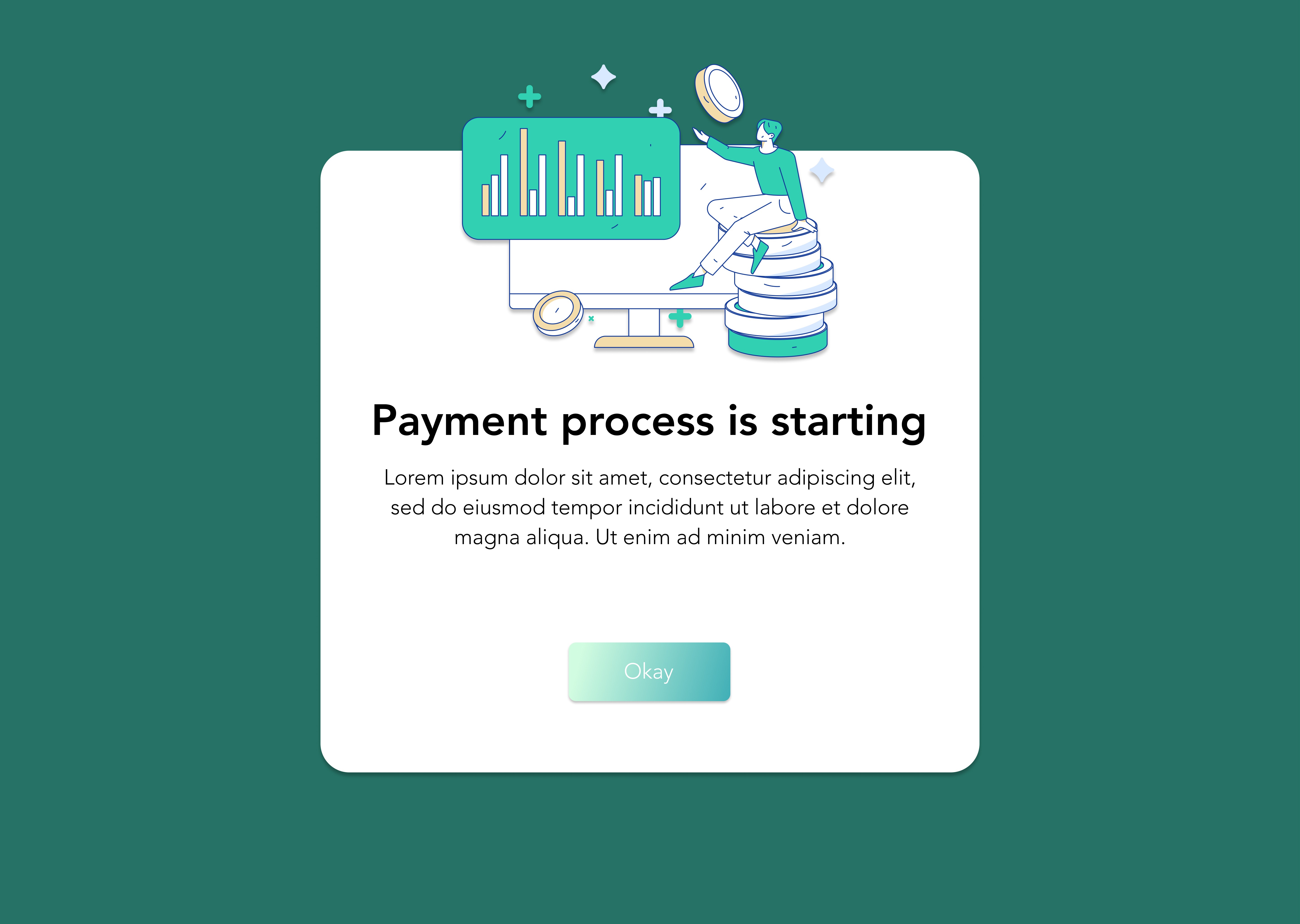
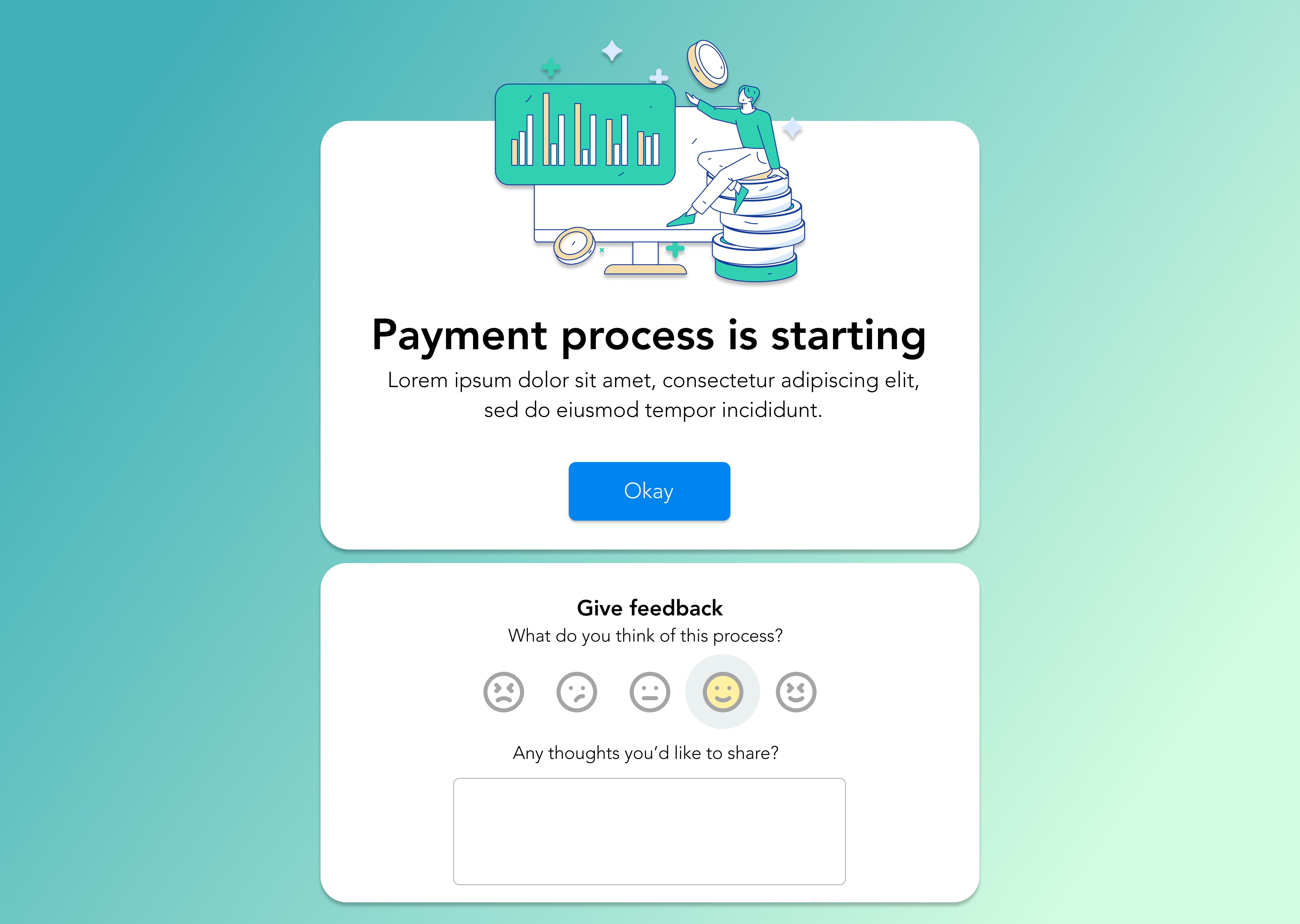
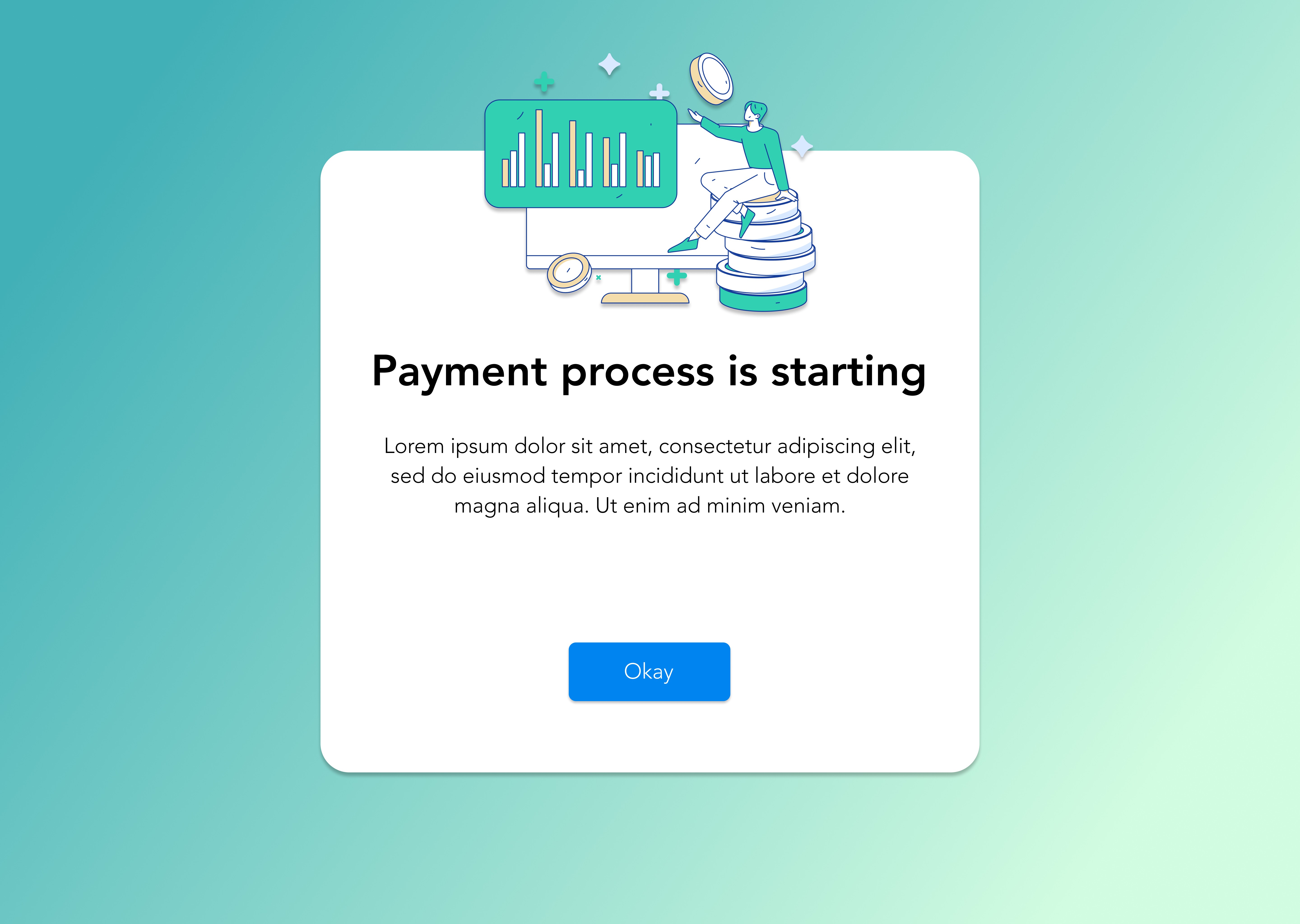
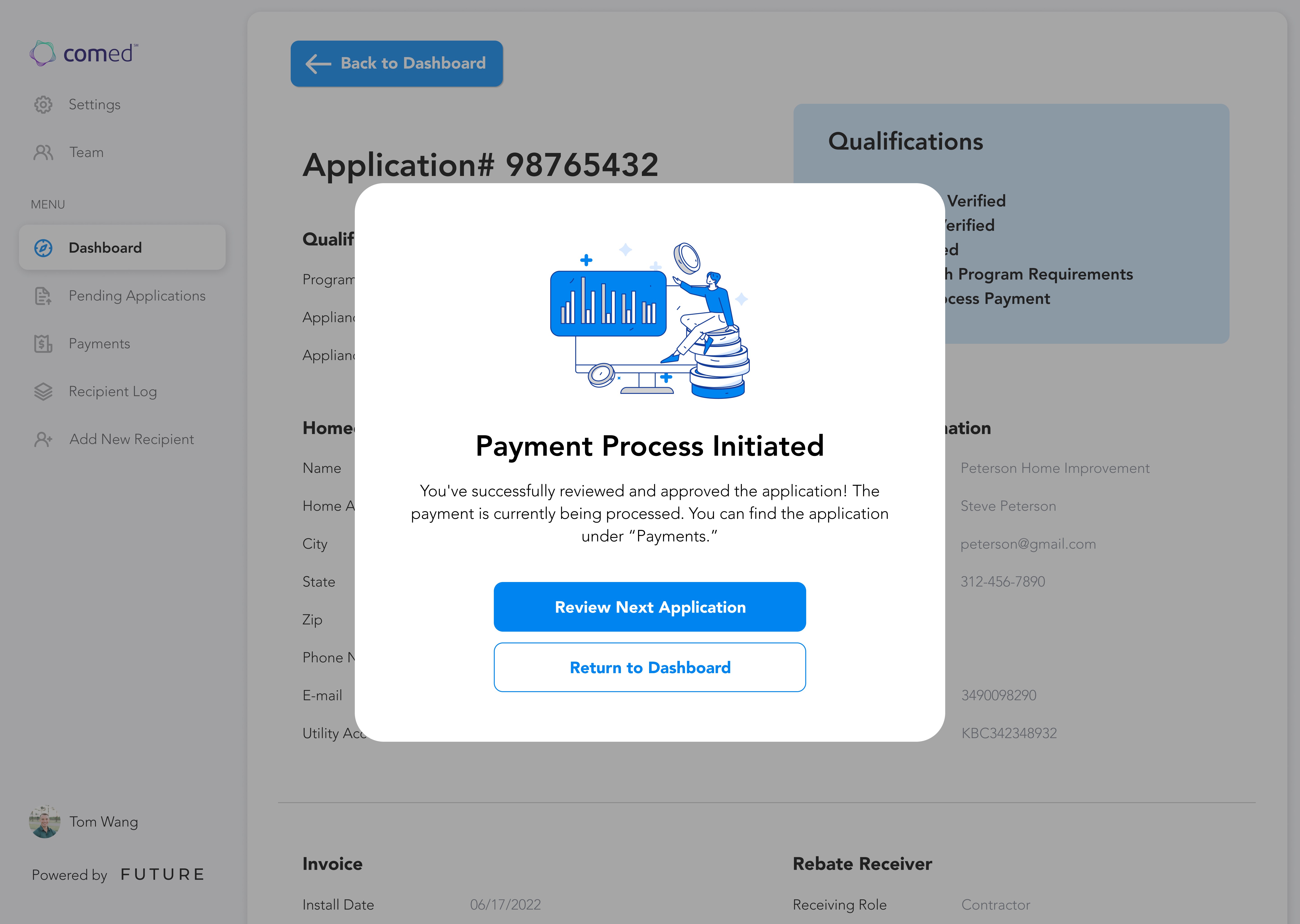
Design is an ongoing process of testing, refining, and improving to create the most effective user experience. This section highlights multiple versions of both the home screen and a key screen in the payment flow, where users receive confirmation that their payment process has started. Through small adjustments in layout, visuals, and messaging, we worked to make these moments more engaging. By fine-tuning navigation, information hierarchy, and user prompts, we ensured a seamless experience that enhances clarity and overall interaction.
Refining the Experience
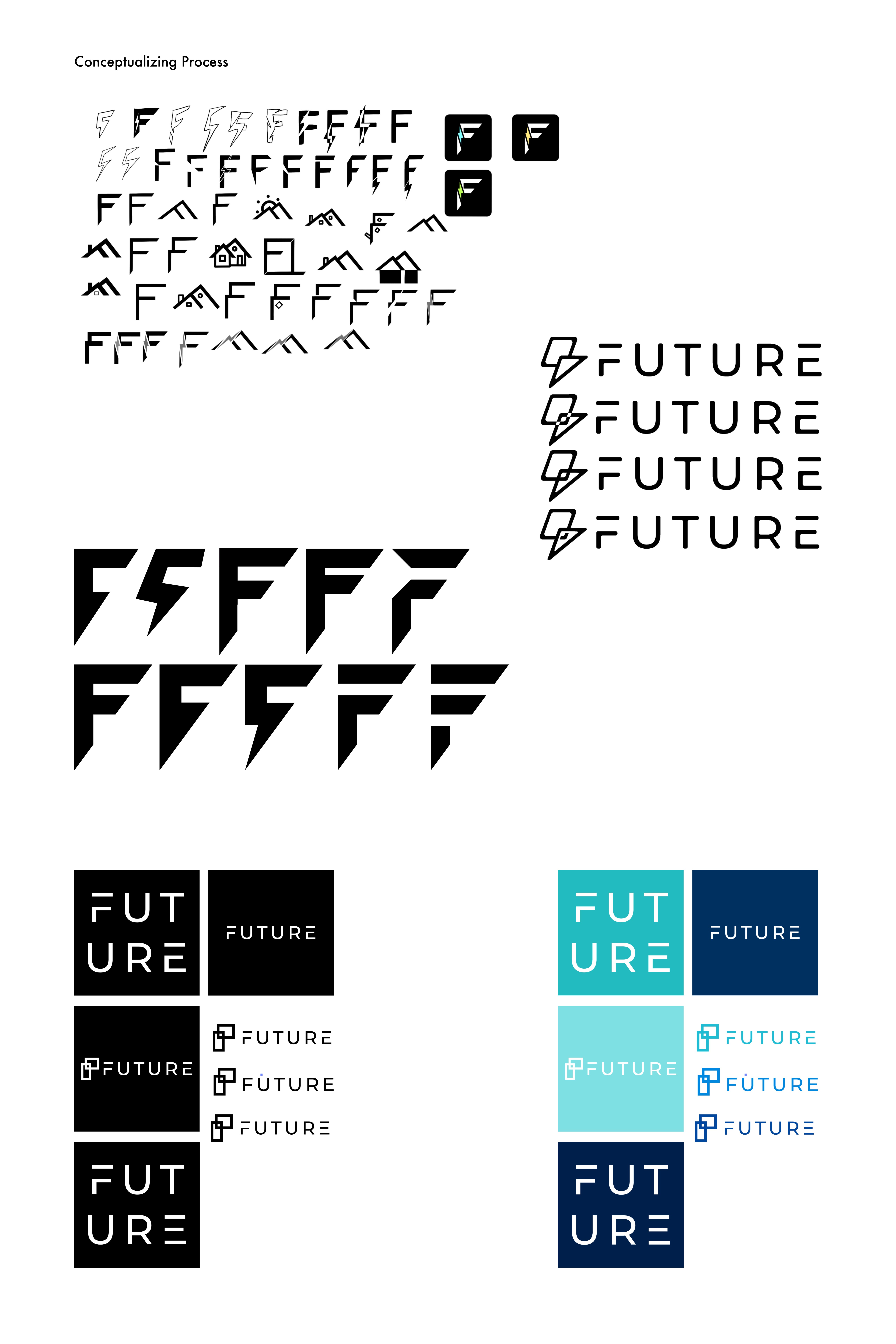
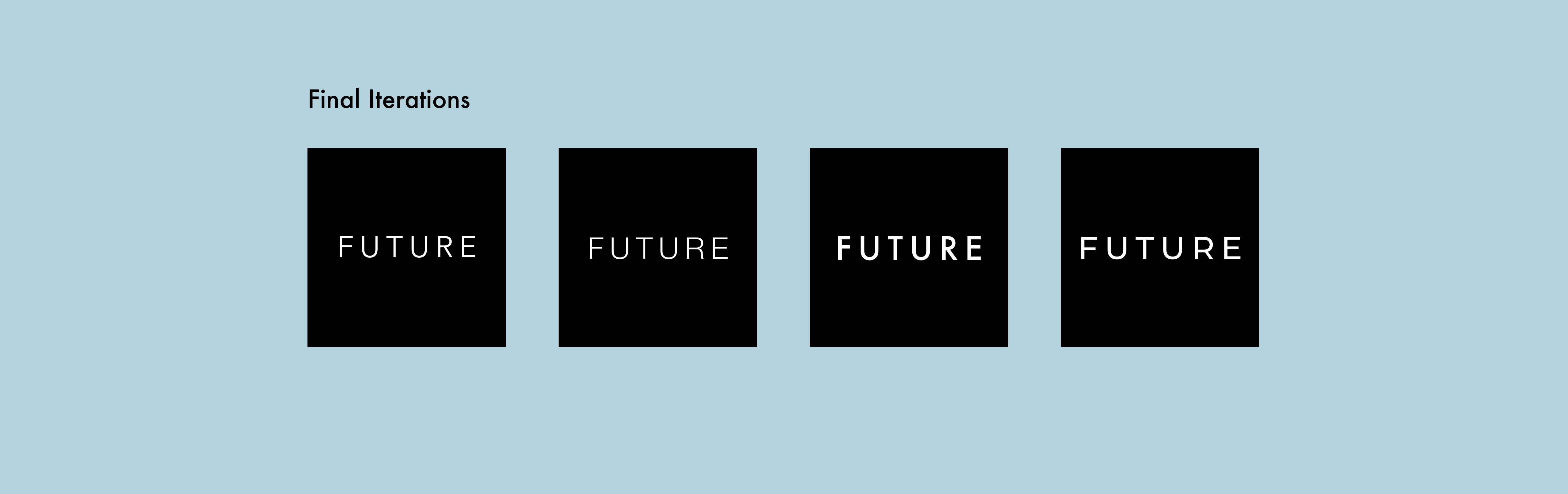
I focused on integrating the theme of energy efficiency with the letterform "F" from the FUTURE wordmark. I started with a sketching phase on Procreate, experimenting with different concepts that represented both sustainability and the company’s core identity. After refining the ideas, I moved to Illustrator to create professional iterations, carefully adjusting typography, shapes, and colors to ensure the final logos conveyed a clean, modern, and energy-conscious feel. This process helped align the brand’s visual identity with its mission.
Logo Iterations
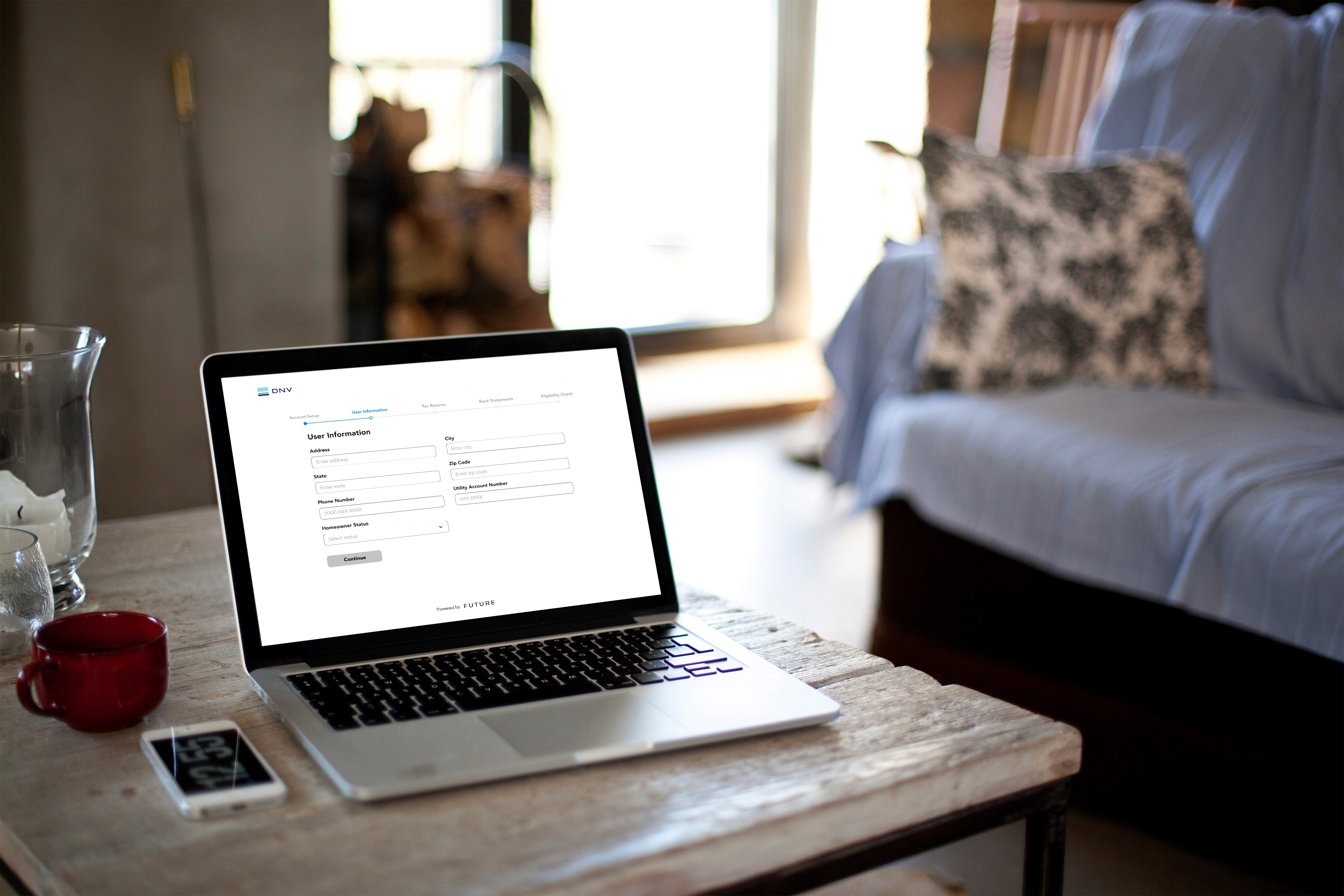
Throughout this journey, our focus was on creating a seamless, user-friendly experience that simplifies the rebate process for energy-efficient home improvements. From research and prototyping to branding and user flows, every detail was designed with clarity and efficiency in mind. This work reflects my approach to design—balancing functionality with aesthetics to solve real problems and enhance the user journey.
Check out more works
FUTURE | Product Design
Made with Figma, Adobe Illustrator, Procreate
During my internship at FUTURE, a start-up focused on promoting energy efficiency, I had the opportunity to contribute as a product designer. FUTURE developed a platform that incentivized homeowners and businesses to use energy-efficient appliances through rebate programs. Working alongside a team of designers and our manager, I was involved in everything from market research to prototyping in Figma, creating user flows, and iterating on brand identity elements, including the logo. As the product evolved to cater more to companies, I helped refine features like expedited payment processing and eligibility verification through tax returns and bank statements. This experience allowed me to play a key role in shaping both the user experience and overall brand direction.
Business Goals
Problems
Discovery is unclear
→ Companies struggle to find relevant incentives.
Rules are confusing
→ Eligibility criteria are hard to interpret with confidence.
Information is fragmented
→ Data lives across disconnected sources and documents.
Process is inefficient
→ Teams spend too much time navigating uncertainty.
Real impact is missed
→ Manufacturers miss out on meaningful revenue.
Goals
Surface relevant incentives clearly
→ Make relevant incentives easy to find and understand.
Translate complexity into clarity
→ Simplify eligibility so users can assess qualification with confidence.
Centralize info in one place
→ Provide a single source of truth for incentives and claims.
Streamline the end-to-end flow
→ Design a fast, low-friction experience from discovery to claim.
Unlock real revenue and next steps
→ Enable repeatable claims that drive meaningful revenue.


Drop-down selection helps users understand input type
Providing information on input boxes helps users differ through complex, confusing information.
Giving users choice of quicker upload or reliable manual input caters to different tech levels.
Users don't need to manually look for qualifying rebate programs.
Returning users can keep track of all appliances—especially when following up on a payment status that takes a long time.
Visual graphs of complex information breaks it down, giving users clarity on the info.
All appliances and financial statistics overview gives users a one-stop platform for all rebate/incentives.
Users can efficiently check on any part of the process through the organized dashboard.
For the user flow, we designed screens that guided users through a seamless process of entering their tax returns and bank statements to determine eligibility for energy-efficient home improvement incentive programs. Users could also select their preferred digital payment method, allowing for a faster and more efficient rebate process. By streamlining these steps, we made it easier for homeowners and businesses to access incentives while reducing delays in receiving their payments.
User Flow
The dashboard serves as the central hub for users to track their program qualifications and rebate status at a glance. Designed for clarity and ease of use, it provides a comprehensive overview without overwhelming the user. Alongside the main dashboard, we explored a spend analysis feature, which was part of an early iteration when we considered expanding our services toward financial tracking. This section reflects the evolution of our product and how we adapted our design approach based on user needs and business goals.
Dashboard
Design is an ongoing process of testing, refining, and improving to create the most effective user experience. This section highlights multiple versions of both the home screen and a key screen in the payment flow, where users receive confirmation that their payment process has started. Through small adjustments in layout, visuals, and messaging, we worked to make these moments more engaging. By fine-tuning navigation, information hierarchy, and user prompts, we ensured a seamless experience that enhances clarity and overall interaction.
Refining the Experience
I focused on integrating the theme of energy efficiency with the letterform "F" from the FUTURE wordmark. I started with a sketching phase on Procreate, experimenting with different concepts that represented both sustainability and the company’s core identity. After refining the ideas, I moved to Illustrator to create professional iterations, carefully adjusting typography, shapes, and colors to ensure the final logos conveyed a clean, modern, and energy-conscious feel. This process helped align the brand’s visual identity with its mission.
Logo Iterations
Throughout this project, our focus was on creating a seamless, user-friendly experience that simplifies the rebate process for energy-efficient home improvements. From research and prototyping to branding and user flows, every detail was designed with clarity and efficiency in mind. This work reflects my approach to design—balancing functionality with aesthetics to solve real problems and enhance the user journey.
Check out more works
FUTURE | Product Design
Made with Figma, Adobe Illustrator, Procreate
During my internship at FUTURE, a start-up focused on promoting energy efficiency, I had the opportunity to contribute as a product designer. FUTURE developed a platform that incentivized homeowners and businesses to use energy-efficient appliances through rebate programs. Working alongside a team of designers and our manager, I was involved in everything from market research to prototyping in Figma, creating user flows, and iterating on brand identity elements, including the logo. As the product evolved to cater more to companies, I helped refine features like expedited payment processing and eligibility verification through tax returns and bank statements. This experience allowed me to play a key role in shaping both the user experience and overall brand direction.
Business Goals
For the user flow, we designed screens that guided users through a seamless process of entering their tax returns and bank statements to determine eligibility for energy-efficient home improvement incentive programs. Users could also select their preferred digital payment method, allowing for a faster and more efficient rebate process. By streamlining these steps, we made it easier for homeowners and businesses to access incentives while reducing delays in receiving their payments.
User Flow
Surface relevant incentives clearly
→ Make relevant incentives easy to find and understand.
Translate complexity into clarity
→ Simplify eligibility so users can assess qualification with confidence.
Centralize info in one place
→ Provide a single source of truth for incentives and claims.
Streamline the end-to-end flow
→ Design a fast, low-friction experience from discovery to claim.
Unlock real revenue and next steps
→ Enable repeatable claims that drive meaningful revenue.
Goals
Giving users choice of quicker upload or reliable manual input caters to different tech levels.
Users don't need to manually look for qualifying rebate programs.
Returning users can keep track of all appliances—especially when following up on a payment status that takes a long time.
Visual graphs of complex information breaks it down, giving users clarity on the info.
All appliances and financial statistics overview gives users a one-stop platform for all rebate/incentives.
Users can efficiently check on any part of the process through the organized dashboard.
The dashboard serves as the central hub for users to track their program qualifications and rebate status at a glance. Designed for clarity and ease of use, it provides a comprehensive overview without overwhelming the user. Alongside the main dashboard, we explored a spend analysis feature, which was part of an early iteration when we considered expanding our services toward financial tracking. This section reflects the evolution of our product and how we adapted our design approach based on user needs and business goals.
Dashboard
Design is an ongoing process of testing, refining, and improving to create the most effective user experience. This section highlights multiple versions of both the home screen and a key screen in the payment flow, where users receive confirmation that their payment process has started. Through small adjustments in layout, visuals, and messaging, we worked to make these moments more engaging. By fine-tuning navigation, information hierarchy, and user prompts, we ensured a seamless experience that enhances clarity and overall interaction.
Refining the Experience
I focused on integrating the theme of energy efficiency with the letterform "F" from the FUTURE wordmark. I started with a sketching phase on Procreate, experimenting with different concepts that represented both sustainability and the company’s core identity. After refining the ideas, I moved to Illustrator to create professional iterations, carefully adjusting typography, shapes, and colors to ensure the final logos conveyed a clean, modern, and energy-conscious feel. This process helped align the brand’s visual identity with its mission.
Logo Iterations
Throughout this project, our focus was on creating a seamless, user-friendly experience that simplifies the rebate process for energy-efficient home improvements. From research and prototyping to branding and user flows, every detail was designed with clarity and efficiency in mind. This work reflects my approach to design—balancing functionality with aesthetics to solve real problems and enhance the user journey.
Check out more works
Discovery is unclear
→ Companies struggle to find relevant incentives.
Rules are confusing
→ Eligibility criteria are hard to interpret with confidence.
Information is fragmented
→ Data lives across disconnected sources and documents.
Process is inefficient
→ Teams spend too much time navigating uncertainty.
Real impact is missed
→ Manufacturers miss out on meaningful revenue.
Problems
Drop-down selection helps users understand input type
Providing information on input boxes helps users differ through complex, confusing information.

Location
Location
San Jose, CA
San Jose, CA
Contact
Contact
lucyyindesign@gmail.com
lucyyindesign@gmail.com
LinkedIn: @lucyyindesign
LinkedIn: @lucyyindesign
Instagram: @lucyyindesign
Instagram: @lucyyindesign